
Email backup
The Microsoft 365 outage is over, but it is worth getting your company email ready for the next one.
Werk can also run your company email on its own mail servers, on Linux, independent of Microsoft and Google, which keep a regularly synced copy of your mailboxes, so that if Microsoft 365 or Gmail / Google Workspace goes down again your company still has access to its email, old and new, and can keep sending and receiving messages.
We are here to take the call, Monday to Friday, 9:00 to 18:00. werk@werk.pt
How it works
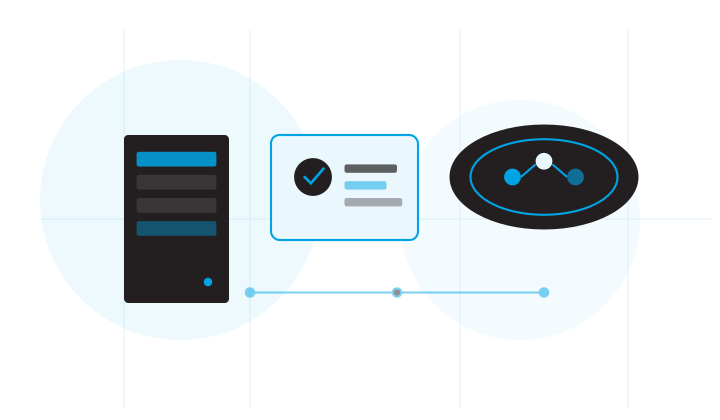
We set up your company email backup in three steps.
01
Call us
Tell us how your company email works today and we will explain how the email backup can be set up.
02
We set up the email backup
We also run your company email on a Werk mail server, on Linux, independent of Microsoft and Google, and carry out a first sync of the mailboxes that brings in the email you already have, so that during an outage your old email is at hand and new emails keep coming in and going out.
03
It stays ready for the next outage
The email backup stays active permanently and keeps syncing your email over time, so when Microsoft 365 or Google Workspace goes down the copy is up to date and ready to use.
What you should know
An email backup for your company, ready for the next outage.
- After the first sync, the email backup keeps a copy of all your email, old and new, which stays up to date, and during an outage the only messages that may be missing are a few of the most recent ones that had not yet been synced when the service stopped responding.
- The servers belong to Werk, run on Linux, and do not depend on Microsoft or Google.
- To set up the email backup, we need access to your company’s domain settings (DNS), or the contact of whoever manages them, and during an outage, after the DNS change, new emails start reaching the email backup within minutes to a few hours, depending on how the domain is configured.
- It works for companies on Microsoft 365 and for companies on Google Workspace.
- We are a certified Microsoft partner, and the email backup complements Microsoft 365, which remains your company’s main email.
Frequently asked questions
What about my old emails?
They stay in Microsoft 365 or Google Workspace, and the email backup runs a first sync that also brings in your old email and keeps the copy up to date from then on, so during an outage you can read it in the email backup, bearing in mind that a few of the most recent messages may not yet have been synced when the outage began.
I use Google Workspace. Does this concern me?
Yes. A similar outage could affect Gmail / Google Workspace. You can prepare an email backup now, so you are not left without email if that happens.
Does the email backup stay active all the time?
Yes, it stays active permanently, as an ongoing backup of your email and as a continuity solution for future Microsoft 365 or Google Workspace outages, and we agree with you how it is set up.
Does the email backup replace Microsoft 365 or Google Workspace?
No. The email backup only takes care of email. Microsoft 365 and Google Workspace remain where your company keeps its calendar, contacts, files in OneDrive or Google Drive, meetings in Teams or Meet and its integrations with other applications. During an outage, the email backup keeps email, old and new, available until the company can go back to the main service.
How do I start?
Call us on +351 211 570 970, Monday to Friday, 9:00 to 18:00, or write to werk@werk.pt and we will get back to you.
Call us on +351 211 570 970, we are here to take the call.
We are available Monday to Friday, 9:00 to 18:00, to set up your company email backup now, while there is time, so that all your email is already synced when the next outage comes, or to help during a new outage.